Better Auth + Payload CMS: The Auth System Payload Deserves
Payload CMS ships with solid built-in auth, but it stops at email and password. Better Auth adds 2FA, magic links, social login, and custom login pages — without replacing what already works. Here's what the combination looks like.

Better Auth + Payload CMS: The Auth System Payload Deserves
Payload CMS has authentication built in. It handles email/password login, JWT sessions, API keys, and role-based access control out of the box. For admin panel access, it's excellent.
But the moment you need a custom login page, two-factor authentication, magic links, or social login for your frontend — you're on your own. Payload's auth system wasn't designed for consumer-facing authentication flows.
That's where Better Auth comes in.
What Is Better Auth?
Better Auth is a TypeScript-first authentication framework. Think of it as the auth layer that sits between your users and your application — handling sign-up, sign-in, session management, 2FA, password resets, and more.
It's framework-agnostic, but it integrates beautifully with Next.js (which Payload runs on). Key features:
- Email/password with scrypt hashing
- Magic links — passwordless sign-in via email
- TOTP 2FA — Google Authenticator, Authy, etc.
- Social providers — Google, GitHub, Discord, and 20+ others
- Session management — cookie-based with optional caching
- Password reset — built-in forgot/reset flow
- Backup codes — recovery when 2FA device is lost
Why Not Just Use Payload's Auth?
Payload's built-in auth is perfect for the admin panel. It generates JWTs, handles login/logout, and powers the access control system that protects your collections and globals.
But it has limitations for frontend use:
| Feature | Payload Built-in | Better Auth |
|---|---|---|
| Email/password | Yes | Yes |
| Custom login page | No (admin panel only) | Yes |
| 2FA (TOTP) | No | Yes |
| Magic links | No | Yes |
| Social login (Google, GitHub) | No | Yes (20+ providers) |
| Password reset flow | Basic | Full (with email callbacks) |
| Session caching | No | Yes (cookie cache) |
| Backup codes | No | Yes |
The key insight: you don't have to choose one or the other. Better Auth handles frontend authentication while Payload's built-in auth continues to power the admin panel. Both systems coexist.
How They Work Together
The architecture is surprisingly clean. Better Auth and Payload share the same database, the same user table, and the same session — connected by a custom Payload auth strategy.
Here's the flow:
Frontend login (/login):
- User enters email + password on your custom login page
- Better Auth validates credentials and creates a session
- A session cookie is set in the browser
- On subsequent requests, Payload's custom strategy reads that cookie and populates
req.user - All your existing access control (
isAdmin,isEditor, etc.) works unchanged
Admin panel login (/admin):
- Works exactly as before — Payload's built-in JWT auth
- Nothing changes. Zero risk.
The bridge between them is a custom Payload auth strategy — about 30 lines of code that reads Better Auth's session cookie and looks up the corresponding Payload user. If no Better Auth cookie exists, it falls through to Payload's JWT strategy. Both auth systems run in parallel.
What You Get
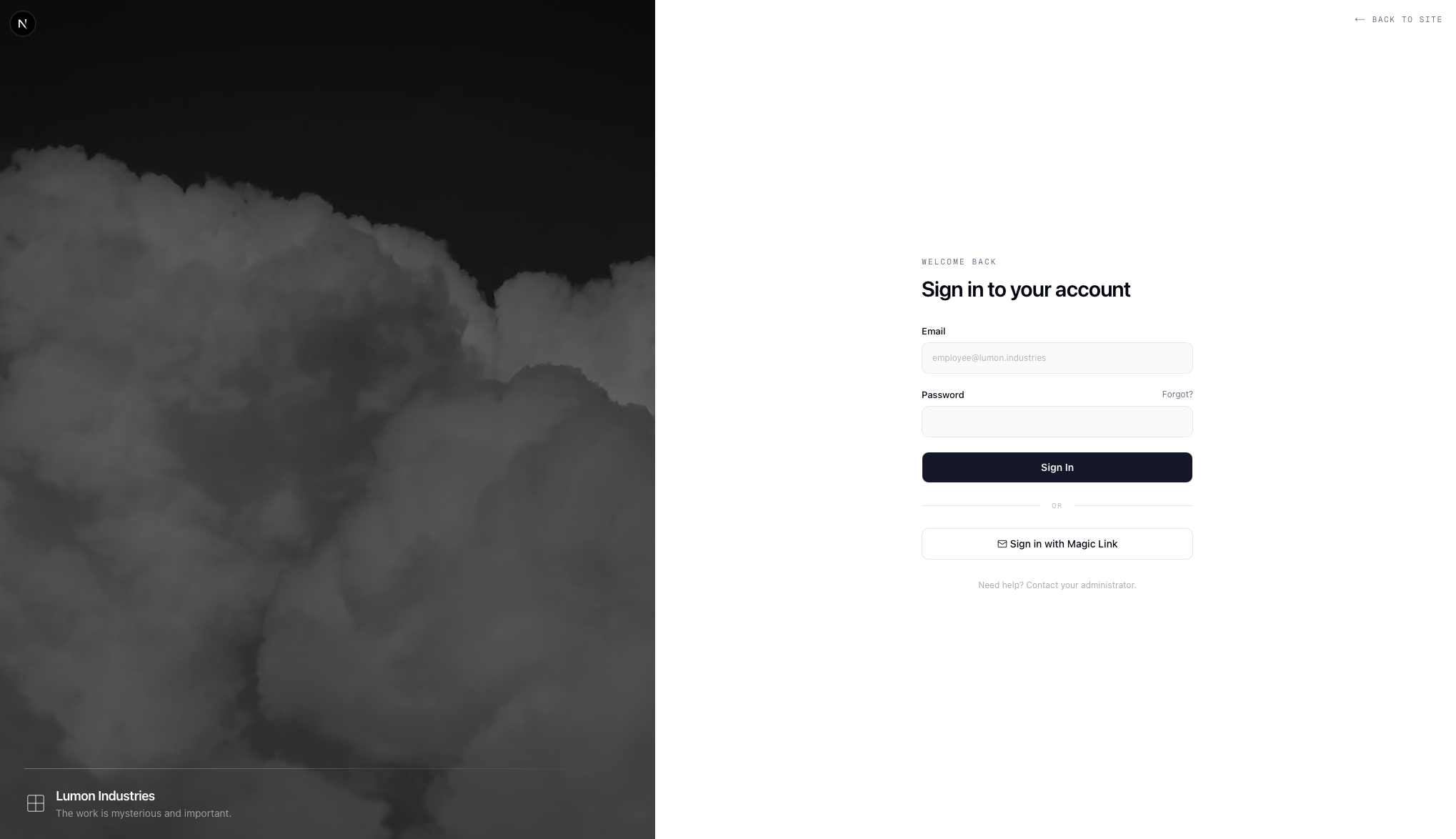
Custom Login Page
No more sending users to /admin/login. Build a login page that matches your site's design — with your brand, your layout, your animations. Email/password, magic link, social buttons — whatever combination you want.
Two-Factor Authentication
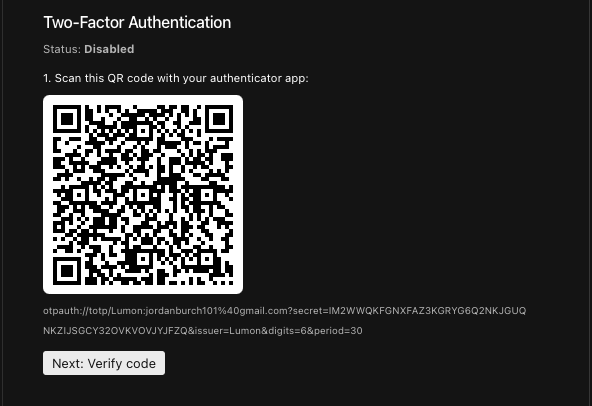
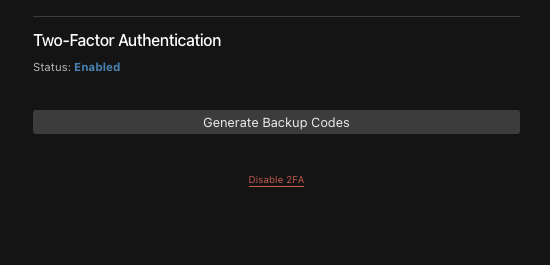
TOTP-based 2FA with full admin panel integration. Admins enable 2FA for users directly from the Payload admin panel — scan a QR code, verify the code, generate backup codes. During login, users are redirected to a 2FA verification page after entering their password.
The 2FA setup includes a verification step: users must enter a valid code from their authenticator app before 2FA is activated. No one gets locked out from a bad QR scan.
Password Reset Flow
Forgot password → enter email → receive reset link → set new password. The entire flow runs through Better Auth's endpoints with your custom-designed pages. No Payload admin panel involved.
Session Caching
Better Auth supports cookie-based session caching. Instead of hitting the database on every request to validate the session, it stores a signed session payload in a cookie. The cache refreshes every 5 minutes. This means your authenticated pages load faster with fewer database queries.
The Database Question
One of the trickiest parts of integrating Better Auth with Payload is the database. Better Auth needs tables for sessions, accounts, verifications, and 2FA secrets. How do you share a database without conflicts?
The approach I landed on: define Better Auth's tables as hidden Payload collections. This means:
- One database — Better Auth's data lives in the same SQLite/libsql database as Payload's
- One migration system —
bun run migrate:creategenerates migrations for everything - One sync workflow —
db:pullanddb:pushsync Better Auth tables automatically - No extra drivers — Better Auth talks to the database through Payload's Local API, not its own connection
The hidden collections (ba-sessions, ba-accounts, ba-verifications, ba-two-factors) are invisible in the admin panel and locked down with access: { read: () => false } — only accessible through overrideAccess: true in the adapter.
What About the Admin Panel?
The admin panel is completely unaffected. Payload's built-in email/password login, JWT sessions, and access control work exactly as they did before. The custom auth strategy runs alongside Payload's JWT strategy — it doesn't replace it.
When an admin logs out, both the Payload JWT and the Better Auth session cookie are cleared. When they log in at /admin, Payload's built-in auth handles it. When they log in at /login, Better Auth handles it. Both resolve to the same Payload user with the same role.
Is It Worth the Effort?
If your Payload site is admin-only — just you and your client managing content — Payload's built-in auth is all you need. Don't add complexity where it isn't needed.
But if your site has frontend users who need to log in, and you want any of the following:
- A branded login page that matches your design
- Two-factor authentication
- Magic links or social login
- A proper forgot/reset password flow
Then Better Auth is the right tool. The integration is non-trivial (there's a custom adapter, field mapping, and a strategy bridge to build), but the result is a production-grade auth system that plays nicely with everything Payload already does well.
You can see the full working implementation in my Lumon CMS template on GitHub — it's a Next.js + Payload CMS project with the complete Better Auth integration, custom login page, 2FA, and all the patterns described here.
In the next article, I'll walk through the full integration step by step — including the pitfalls I hit along the way and how to avoid them.