Integrating Better Auth with Payload CMS: A Practical Guide
A step-by-step guide to integrating Better Auth with Payload CMS — including a custom database adapter, auth strategy, 2FA setup, and all the pitfalls I hit building it. No plugin required.

Integrating Better Auth with Payload CMS: A Practical Guide
I recently built a custom Better Auth integration for a Payload CMS project. No plugin — the existing payload-auth plugin requires next <16 and crashed on our Next.js 16 setup. So I rolled my own.
This guide covers what I built, the architectural decisions I made, and the pitfalls that cost me hours. If you're considering this integration, this should save you a lot of trial and error.
The full working code is available in my Lumon CMS template on GitHub — you can reference it alongside this guide.
The Architecture
Better Auth never touches the database directly. Instead, I built a custom adapter that translates every Better Auth database operation into Payload Local API calls. Better Auth says "create a session" → the adapter calls payload.create({ collection: "ba-sessions", ... }).
Better Auth → Custom Adapter → Payload Local API → SQLite/libsql
                                                        ↑
Payload CMS ────────────────────────────────────────────┘
This means:
- One database, one driver, one connection
- All tables managed by Payload's migration system
- Works in dev (local SQLite) and production (remote libsql) identically
- No
better-sqlite3dependency, no driver conflicts
Step 1: Define Better Auth Tables as Payload Collections
Better Auth needs tables for sessions, accounts, verifications, and 2FA secrets. Instead of letting Better Auth create them, define them as hidden Payload collections:
// src/payload/collections/auth/BaSessions.ts
import type { CollectionConfig } from "payload";

export const BaSessions: CollectionConfig = {
  slug: "ba-sessions",
  admin: { hidden: true },
  access: {
    read: () => false,
    create: () => false,
    update: () => false,
    delete: () => false,
  },
  fields: [
    { name: "token", type: "text", required: true, unique: true, index: true },
    { name: "userId", type: "number", required: true, index: true },
    { name: "expiresAt", type: "date", required: true },
    { name: "ipAddress", type: "text" },
    { name: "userAgent", type: "text" },
  ],
};
Create similar collections for ba-accounts, ba-verifications, and ba-two-factors. All hidden from the admin panel, all access locked to () => false — only reachable via overrideAccess: true through the adapter.
Add three fields to your Users collection:
{ name: "emailVerified", type: "checkbox", defaultValue: false, admin: { hidden: true } },
{ name: "image", type: "text", admin: { hidden: true } },
{ name: "twoFactorEnabled", type: "checkbox", defaultValue: false, admin: { hidden: true } },
These are Better Auth plumbing — hidden from the admin UI but required by the framework.
Register all new collections in payload.config.ts, then run bun run migrate:create and bun run migrate.
Step 2: Build the Custom Adapter
This is the core of the integration. The adapter implements Better Auth's CustomAdapter interface using createAdapterFactory:
import { createAdapterFactory } from "better-auth/adapters";

export const payloadAdapter = createAdapterFactory({
  config: {
    adapterId: "payload",
    supportsNumericIds: true,
    disableIdGeneration: true,
    supportsBooleans: false,
    supportsDates: false,
    supportsJSON: false,
  },
  adapter: () => ({
    async create({ model, data }) { /* ... */ },
    async findOne({ model, where }) { /* ... */ },
    async findMany({ model, where, limit, sortBy, offset }) { /* ... */ },
    async update({ model, where, update }) { /* ... */ },
    async delete({ model, where }) { /* ... */ },
    // ... count, updateMany, deleteMany
  }),
});
Each method maps Better Auth operations to Payload Local API calls. The key requirements:
depth: 0on every Payload call (prevents relationship population)overrideAccess: trueon every call (these are internal operations)- Model name mapping — Better Auth uses
"user","session", etc.; your adapter maps to"users","ba-sessions", etc.
Pitfall #1: Snake Case vs Camel Case
This one cost me hours. Better Auth's createAdapterFactory transforms field names to your configured database column names before calling your adapter. So if you configure userId → user_id in the field mapping, your adapter receives user_id — but Payload's Local API expects userId (camelCase).
The fix: convert all incoming field names from snake_case back to camelCase, and all outgoing field names from camelCase to snake_case:
function snakeToCamel(s: string): string {
  return s.replace(/_([a-z])/g, (_, c) => c.toUpperCase());
}

function camelToSnake(s: string): string {
  return s.replace(/[A-Z]/g, (c) => `_${c.toLowerCase()}`);
}
Apply these to where clauses, data objects, sort fields, and returned documents.
Pitfall #2: Password Injection
Payload's auth: true requires a password field on user creation. But Better Auth stores passwords in the account table, not the user table. When the adapter creates a user, it needs to inject a random throwaway password:
if (model === "user") {
  createData.password = crypto.randomUUID();
}
This password is never used for authentication — it just satisfies Payload's schema requirement.
Pitfall #3: Lazy Initialization
The adapter needs the Payload instance, which is created from payload.config.ts, which imports Users.ts, which imports the auth strategy, which imports the server config, which imports the adapter. Circular dependency.
The fix: lazy dynamic imports with a cached singleton:
let _payload: Payload | null = null;

async function getPayloadLazy(): Promise<Payload> {
  if (!_payload) {
    const { getPayload } = await import("payload");
    const config = (await import("@payload-config")).default;
    _payload = await getPayload({ config });
  }
  return _payload;
}
Never import payload or @payload-config at the top level of your adapter file.
Pitfall #4: Strip Internal Fields
Payload's user documents include salt, hash, loginAttempts, lockUntil, resetPasswordToken, and resetPasswordExpiration. These should never leave the adapter. Strip them from the output transformation:
const INTERNAL_FIELDS = new Set([
  "salt", "hash", "loginAttempts", "lockUntil",
  "resetPasswordToken", "resetPasswordExpiration",
  "_verified", "_strategy",
]);
Step 3: Configure the Better Auth Server
import { betterAuth } from "better-auth";
import { nextCookies } from "better-auth/next-js";
import { magicLink, twoFactor } from "better-auth/plugins";
import { payloadAdapter } from "./adapter";

export const auth = betterAuth({
  database: payloadAdapter,
  advanced: {
    database: { generateId: "serial" },
  },
  user: {
    modelName: "users",
    fields: {
      name: "name",
      email: "email",
      emailVerified: "email_verified",
      image: "image",
      createdAt: "created_at",
      updatedAt: "updated_at",
    },
  },
  session: {
    modelName: "ba-sessions",
    fields: { /* snake_case mappings */ },
    cookieCache: { enabled: true, maxAge: 300 },
  },
  // ... account, verification field mappings
  plugins: [
    twoFactor({
      issuer: "YourApp",
      schema: {
        twoFactor: { modelName: "ba-two-factors", fields: { /* ... */ } },
        user: { fields: { twoFactorEnabled: "two_factor_enabled" } },
      },
    }),
    magicLink({ sendMagicLink: ({ email, url }) => { /* send email */ } }),
    nextCookies(),
  ],
});
Pitfall #5: generateId: "serial"
Without this, Better Auth generates string UUIDs for IDs. But Payload uses integer auto-increment. Setting generateId: "serial" tells Better Auth to expect numeric IDs throughout, and the adapter's disableIdGeneration: true lets SQLite handle the auto-increment.
Pitfall #6: 2FA Field Mapping
The 2FA plugin adds twoFactorEnabled to the user model, but you need to explicitly map it in the plugin's schema config. Without this mapping, Better Auth can't find the field and never triggers the 2FA flow during sign-in:
twoFactor({
  schema: {
    user: {
      fields: { twoFactorEnabled: "two_factor_enabled" },
    },
  },
})
I spent a while debugging why 2FA wasn't triggering on login. The sign-in endpoint returned a full session instead of { twoFactorRedirect: true }. This mapping was the fix.
Step 4: The Auth Strategy
The strategy bridges Better Auth sessions into Payload's req.user:
import type { AuthStrategy } from "payload";

export const betterAuthStrategy: AuthStrategy = {
  name: "better-auth",
  authenticate: async ({ payload, headers }) => {
    const cookieHeader = headers.get("cookie") || "";
    if (!cookieHeader.includes("better-auth.session_token")) {
      return { user: null };
    }

    try {
      const { auth } = await import("./server");
      const session = await auth.api.getSession({ headers });
      if (!session?.user?.id) return { user: null };

      const user = await payload.findByID({
        collection: "users",
        id: Number(session.user.id),
        depth: 0,
      });

      return user
        ? { user: { collection: "users", ...user } }
        : { user: null };
    } catch {
      return { user: null };
    }
  },
};
Key design decisions:
- Cookie check first — avoids a database query when no Better Auth cookie exists
- Lazy import of
./server— avoids circular dependency collection: "users"in the return — without this, Payload's/api/users/mereturns null- Try/catch returns null — graceful fallthrough to Payload's JWT strategy
Register it on your Users collection:
auth: {
  strategies: [betterAuthStrategy],
},
Do NOT set disableLocalStrategy. The admin panel needs Payload's built-in JWT auth.
Step 5: The API Route
Mount Better Auth's handler:
// src/app/(frontend)/api/auth/[...all]/route.ts
import { toNextJsHandler } from "better-auth/next-js";
import { auth } from "@/payload/lib/auth/server";

export const { GET, POST } = toNextJsHandler(auth);
Step 6: Logout — The Tricky Part
Payload's admin panel logout only clears the payload-token JWT cookie. But if the user also has a Better Auth session cookie, your custom strategy will re-authenticate them on the next request.
Three things to handle:
1. Admin bar logout — call both endpoints:
await Promise.all([
  fetch("/api/users/logout", { method: "POST", credentials: "include" }),
  fetch("/api/auth/sign-out", { method: "POST", credentials: "include" }),
]);
2. Payload's afterLogout hook — clear Better Auth cookies:
hooks: {
  afterLogout: [
    async ({ req }) => {
      const cookieHeader = req.headers.get("cookie") || "";
      if (cookieHeader.includes("better-auth.session_token")) {
        try {
          const { auth } = await import("@/payload/lib/auth/server");
          await auth.api.signOut({ headers: req.headers });
        } catch {}

        if (req.responseHeaders) {
          const secure = process.env.NODE_ENV === "production" ? "; Secure" : "";
          req.responseHeaders.append("Set-Cookie",
            `better-auth.session_token=; Path=/; Max-Age=0; HttpOnly; SameSite=Lax${secure}`
          );
        }
      }
    },
  ],
},
3. A dedicated logout route — because Payload redirects to /admin/login after logout, and if you redirect that to /login, the auth layout's cookie check redirects back to /admin (loop). Create a /api/auth/logout route that clears all cookies then redirects:
export async function GET() {
  const secure = process.env.NODE_ENV === "production" ? "; Secure" : "";
  const response = NextResponse.redirect(new URL("/login", baseURL));
  response.headers.append("Set-Cookie",
    `payload-token=; Path=/; Max-Age=0; HttpOnly; SameSite=Lax${secure}`
  );
  response.headers.append("Set-Cookie",
    `better-auth.session_token=; Path=/; Max-Age=0; HttpOnly; SameSite=Lax${secure}`
  );
  return response;
}
Pitfall #7: The Secure Flag
If you clear cookies without the Secure flag but Better Auth set them with Secure (in production over HTTPS), the Set-Cookie header won't match and the cookies persist. Always conditionally add ; Secure based on environment.
Step 7: 2FA Admin Panel Integration
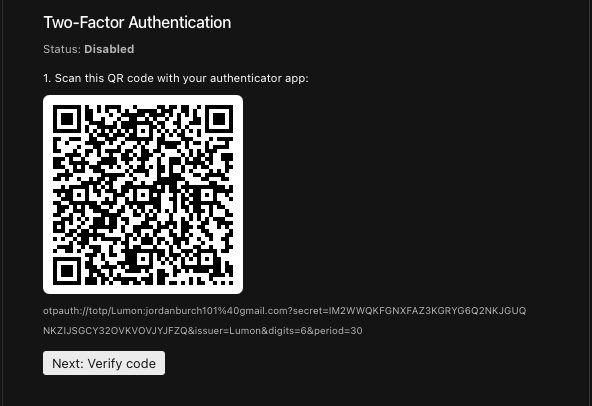
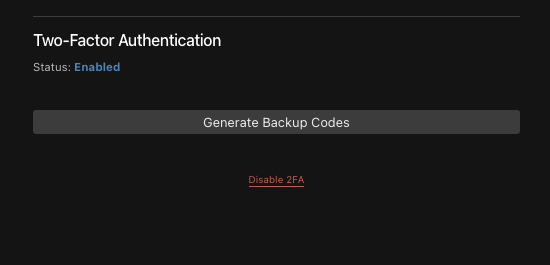
Better Auth's 2FA APIs require a session cookie, which admin users logged in via Payload's JWT don't have. The solution: bypass Better Auth's API and manage the ba-two-factors collection directly through Payload's Local API.
Custom endpoints on the Users collection:
POST /api/users/:id/2fa/enable— generates TOTP secret, encrypts withBETTER_AUTH_SECRET, stores inba-two-factorsPOST /api/users/:id/2fa/verify— decrypts secret, validates TOTP code, then setstwoFactorEnabled: truePOST /api/users/:id/2fa/disable— deletes the record, setstwoFactorEnabled: falsePOST /api/users/:id/2fa/backup-codes— generates 10 encrypted codes
Pitfall #8: Async TOTP Verify
Better Auth's otp.verify() is async — it returns a Promise, not a boolean. Without await, the Promise object is truthy and every code is accepted:
// WRONG — always passes
const isValid = otp.verify(code);
if (!isValid) { /* never reached */ }

// CORRECT
const isValid = await otp.verify(code);
This was a security bug that made it to testing before I caught it. Always await the verify call.
Pitfall #9: Encryption Compatibility
Better Auth encrypts TOTP secrets with XChaCha20-Poly1305 using BETTER_AUTH_SECRET as the key. If you generate and store secrets yourself (for the admin panel), you must use the same encryption function:
import { symmetricEncrypt } from "better-auth/crypto";

const encryptedSecret = await symmetricEncrypt({
  data: rawSecret,
  key: process.env.BETTER_AUTH_SECRET,
});
If you use a different encryption method, Better Auth's verifyTotp will fail to decrypt and 2FA breaks silently.
The Plugin That Didn't Work
Before building all of this, I tried the payload-auth plugin (v1.8.4). It crashed immediately — it uses z.email() which is a Zod 4 API, but Payload ships with Zod 3. The plugin also requires next <16, and this project runs Next.js 16.2.0.
The DIY approach turned out to be more work but also more flexible. The adapter pattern gives you full control over how Better Auth interacts with Payload's database, and the hidden collections integrate perfectly with Payload's migration and sync tooling.
Summary
| Component | Purpose |
|---|---|
| Hidden collections | BA tables managed by Payload's migration system |
| Custom adapter | Translates BA operations → Payload Local API |
| Auth strategy | Bridges BA sessions → Payload's req.user |
| API route | Mounts BA's endpoints at /api/auth/[...all] |
| Logout route | Clears both cookie types, avoids redirect loops |
| 2FA endpoints | Admin panel management via Payload's Local API |
The result: a production-grade auth system with custom login pages, 2FA, magic links, and password reset — all sharing one database, one migration system, and one deployment. Payload's admin panel and access control work exactly as they did before.
The integration is around 500 lines of adapter/strategy code, plus the UI components. Not trivial, but not a massive lift either. And once it's in place, you have the full power of Better Auth's plugin ecosystem available for future features — social login, passkeys, email OTP, and more.
Browse the full source on GitHub: Jordanburch101/lumon-cms